
SearchUs
Getting Started with SearchUs
Install SearchUs, activate your license, choose what to index, run a full Reindex, and rely on Auto-Crawl to keep the cloud index current.
-
Install the plugin
Install SearchUs from WordPress.org (Plugins → Add New → search “SearchUs”), or download the plugin. Activate the plugin when WordPress prompts you.
-
Start the setup walk-through
On first open (or after deactivating a license), SearchUs shows a welcome walk-through. Choose whether you already have an API key, or need a free account. You can also skip the wizard and use the forms on the page.
Welcome walk-through 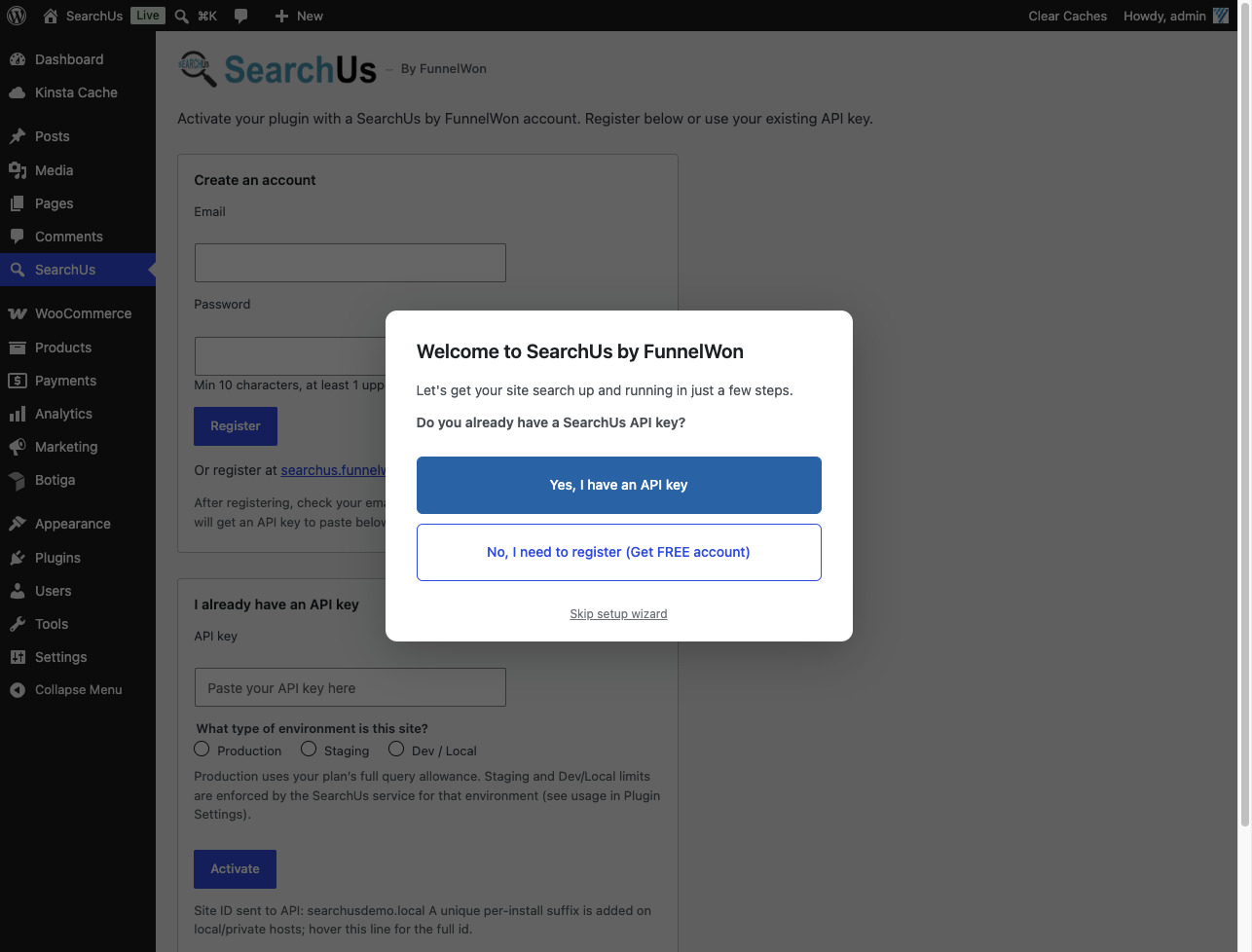
-
Register or paste your API key
Create an account with email and password (then verify via email to receive your API key), or paste an existing key, pick Production / Staging / Dev · Local, and click Activate.
Create an account or activate with an API key 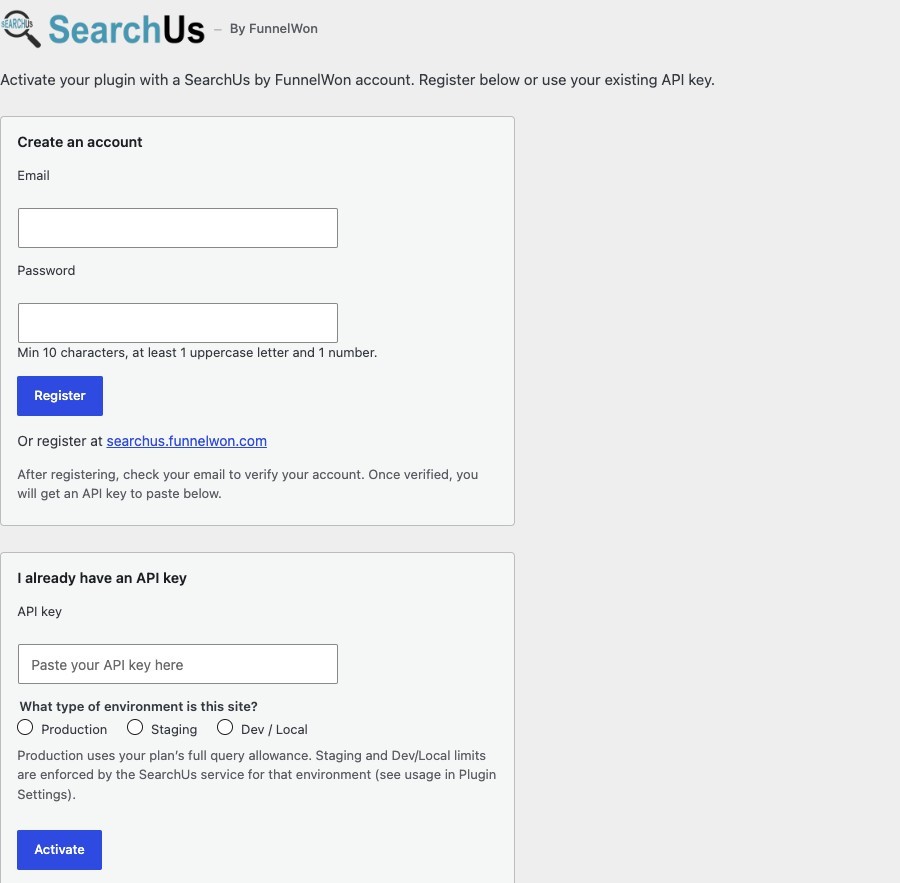
-
Choose what to index
Open Crawl → Inclusion and select the post types, products, and media you want SearchUs to extract for the cloud index. Detect your sitemap if you use one for discovery.
Crawl → Inclusion 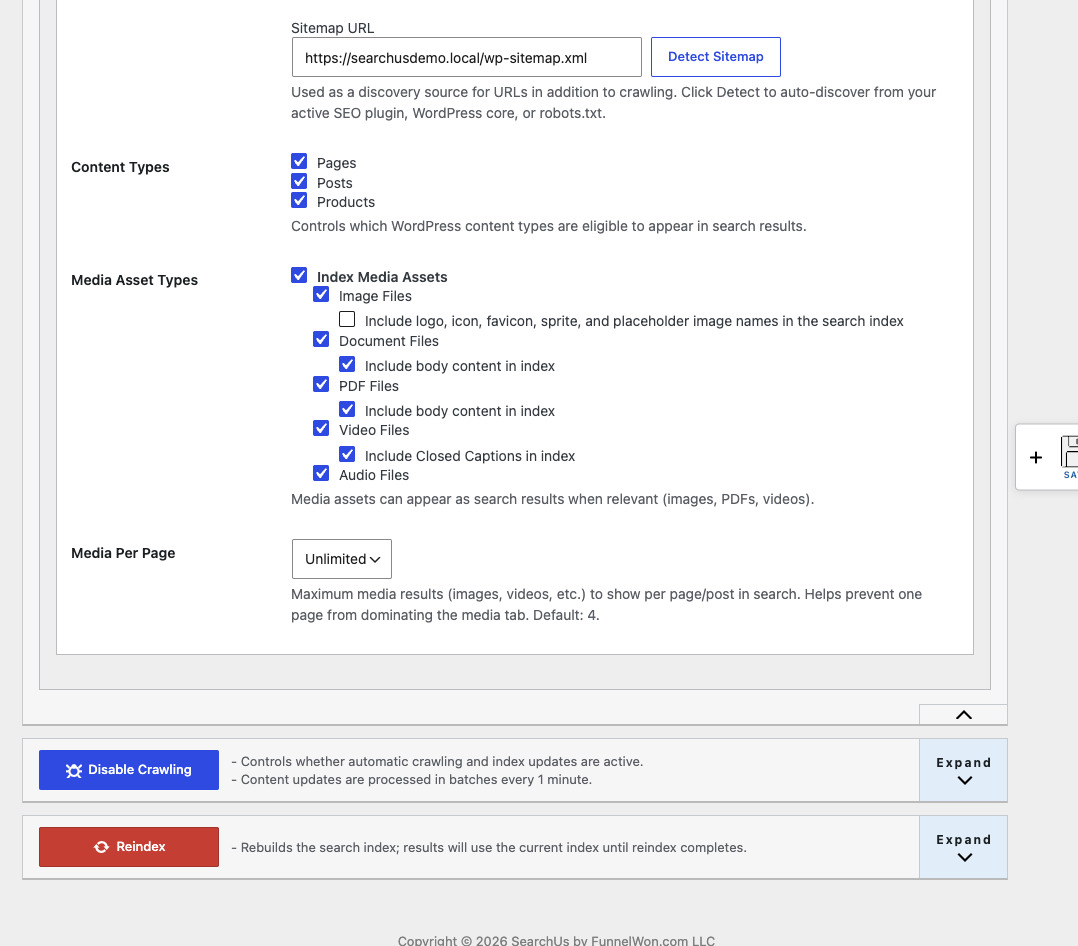
-
Run a full Reindex
After you set inclusion rules, start a Reindex so SearchUs builds the cloud index for your site. Visitors keep using the current index until the rebuild finishes. Use Reindex again later after large content changes or inclusion updates; Reindex logs show recent full-site runs.
Reindex logs 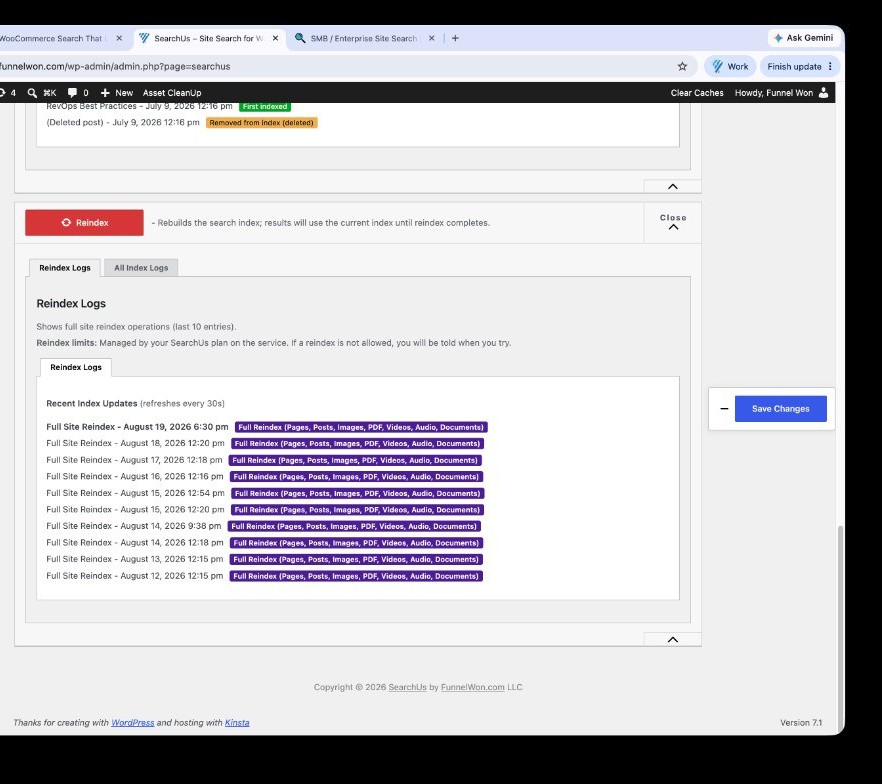
-
Auto-Crawl is on by default
After the first index, Auto-Crawl keeps the cloud index current: edited pages update, deleted pages are removed, and newly published pages are added. You can disable crawling temporarily from the drawer if you need a freeze.
Auto-Crawl logs 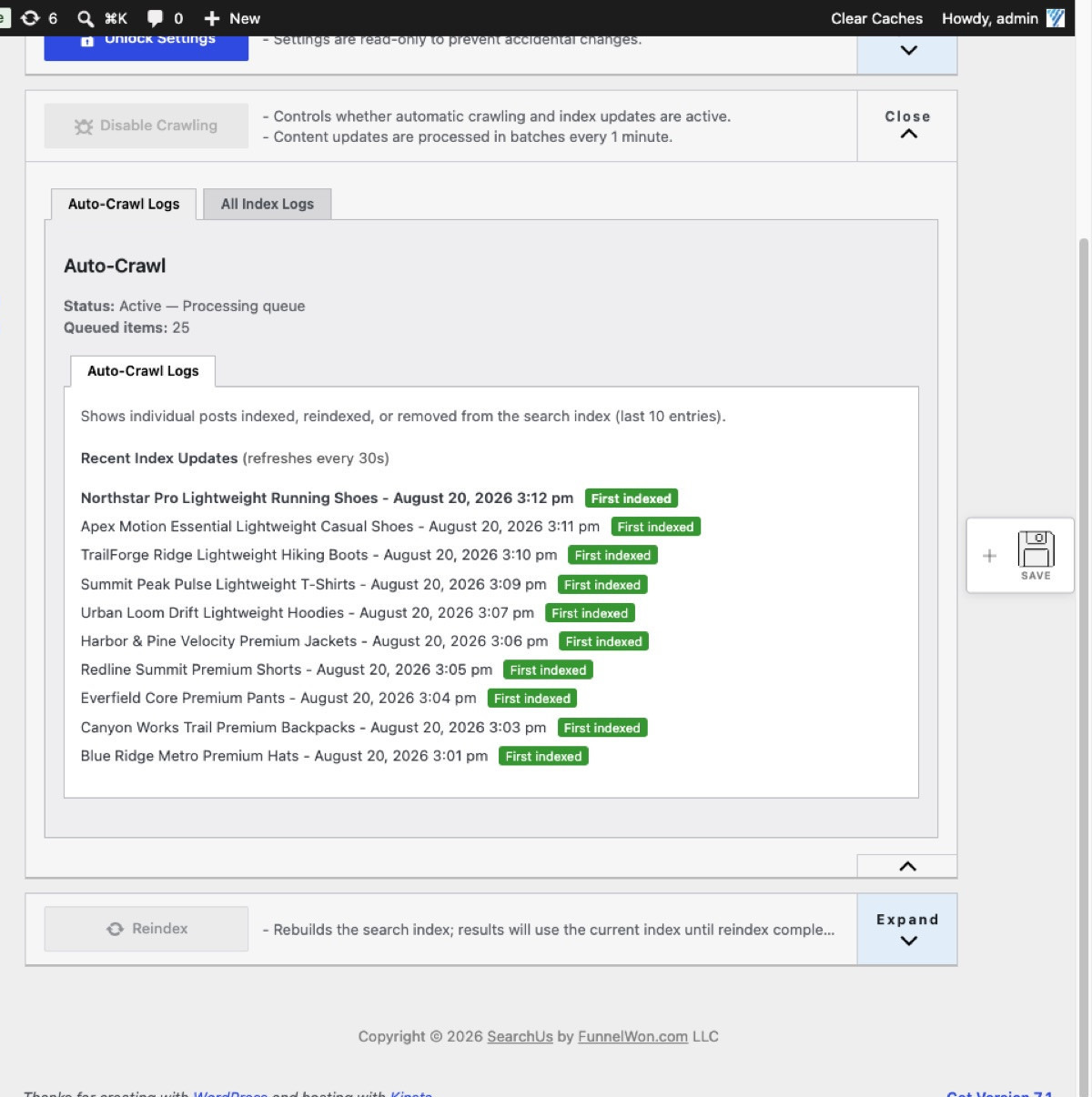
-
The SERP is created for you
SearchUs creates the results page and points site search to it automatically. Customize colors and layout under SERP → Layout when you want branding changes.
-
Manage Subscription (after activation)
Once the license is active, Plugin Settings → Manage Subscription shows your plan and environment. Click Manage Subscription there to open SearchUs for billing and plan changes.
Plugin Settings → Manage Subscription 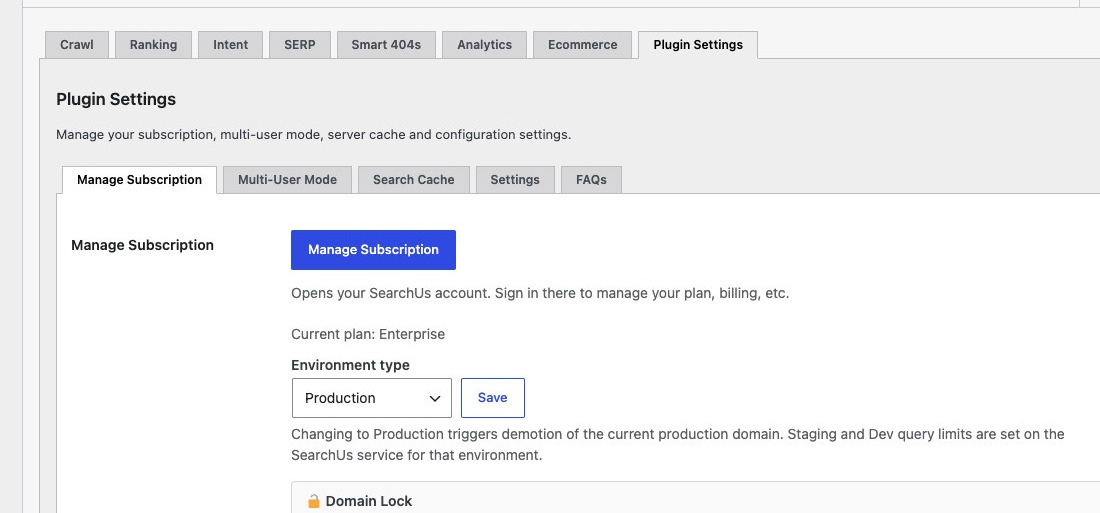
Replace WordPress Search Today
Help every visitor find exactly what they're looking for.
Or Install SearchUs from WordPress.org