
SearchUs
Indexing WordPress Content
Choose what to index, use Auto-Crawl for ongoing updates, and run a full reindex when you need a complete rebuild.
-
Pick eligible content
Under Crawl → Inclusion, choose post types, products, and media SearchUs should extract. The plugin discovers URLs (including via sitemap) and sends eligible content to the cloud index—search work stays off your WordPress database.
Crawl → Inclusion 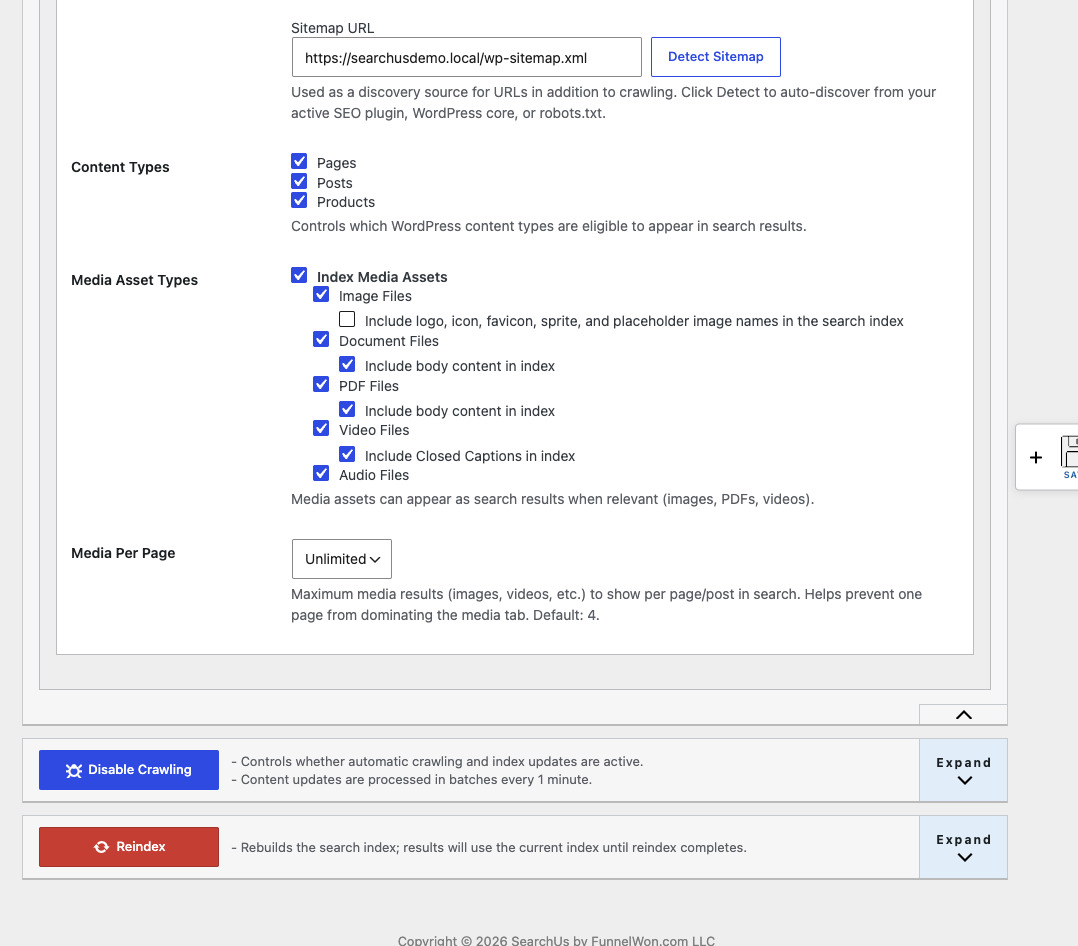
-
Let Auto-Crawl keep it current
Auto-Crawl is on by default. It updates edited content, removes deleted content, and adds newly published pages. Expand the Auto-Crawl drawer to pause crawling or review recent index activity.
Auto-Crawl activity 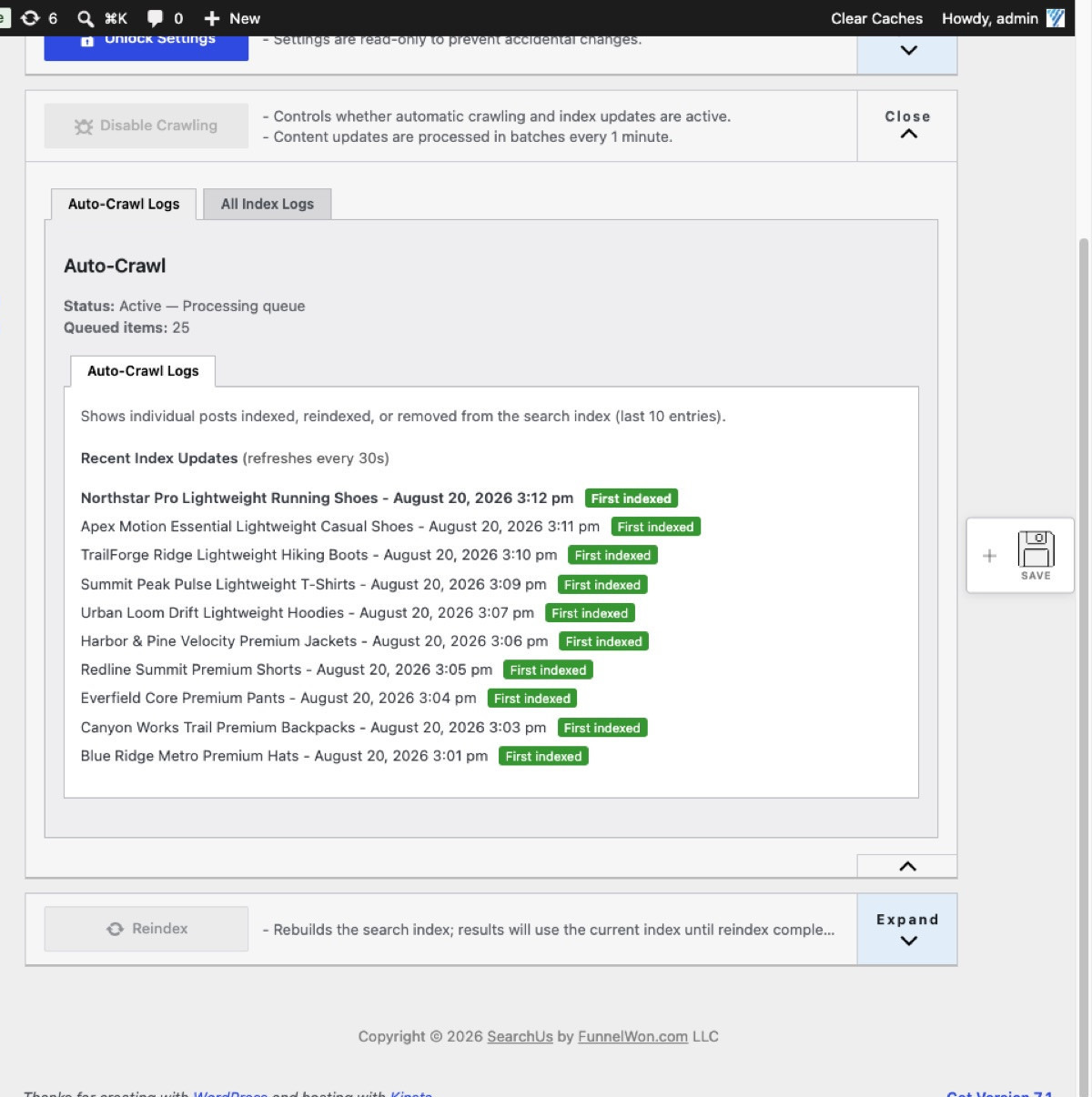
-
Run a full reindex when needed
Use Reindex for a full rebuild after large content changes or inclusion rule updates. Visitors keep using the current index until the rebuild finishes. Reindex logs show recent full-site runs.
Reindex logs 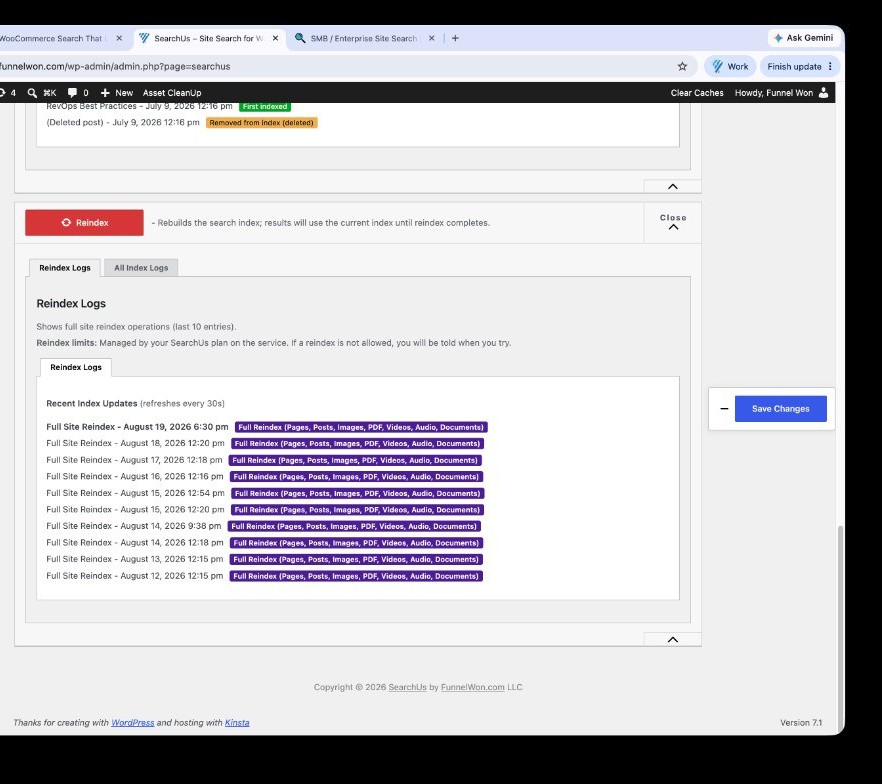
Replace WordPress Search Today
Help every visitor find exactly what they're looking for.
Or Install SearchUs from WordPress.org