
SearchUs
Configuring Search Intent
Control how synonym matches expand, how strict longer queries must be, and what happens when intent is weak.
-
Add synonyms first
Intent controls how synonym matches behave. Define your map under Intent → Synonyms, then tune expansion and strictness here.
-
Choose Intent Expansion
Strict keeps the index literal and still uses synonyms at search time. Balanced (default) applies synonyms when a page does not already match directly. Aggressive uses synonyms at index and search time.
Intent Detection 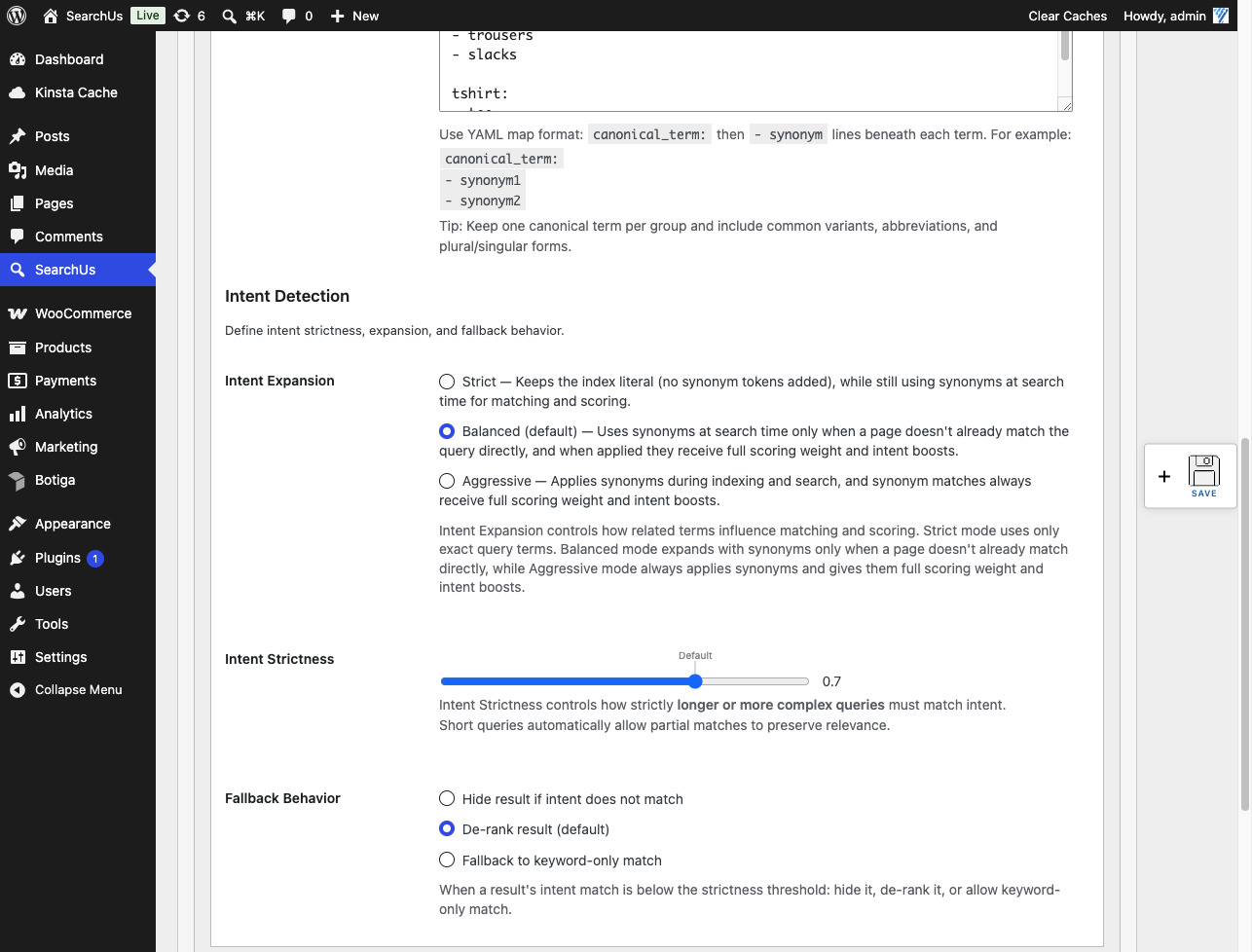
-
Set strictness and fallback
Intent Strictness controls how tightly longer queries must match intent. Fallback Behavior chooses what happens below the threshold: hide, de-rank (default), or fall back to keyword-only matching. Short queries stay more flexible automatically.
Replace WordPress Search Today
Help every visitor find exactly what they're looking for.
Or Install SearchUs from WordPress.org